
The Problem
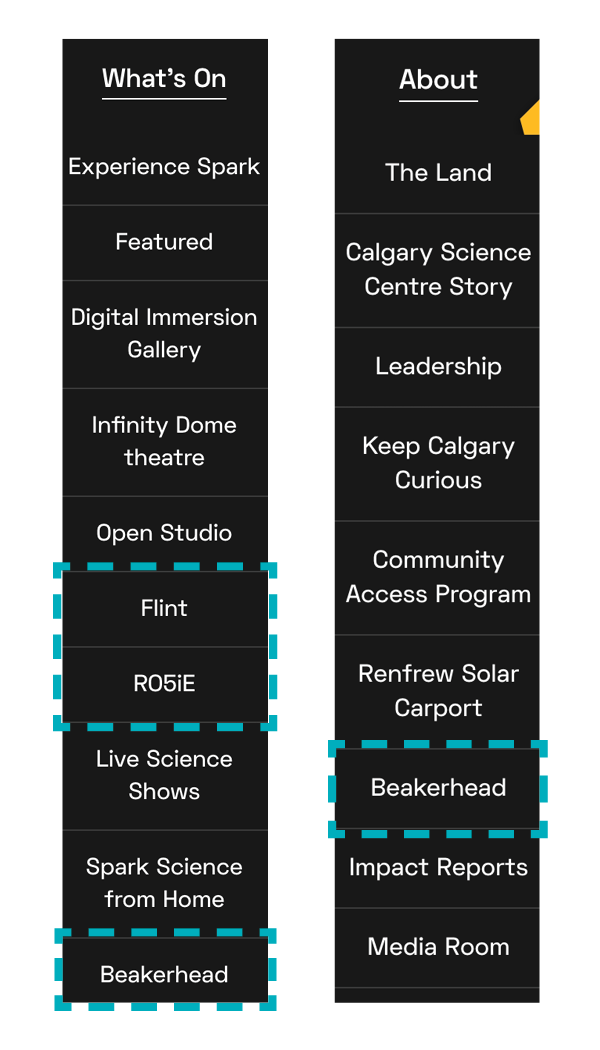
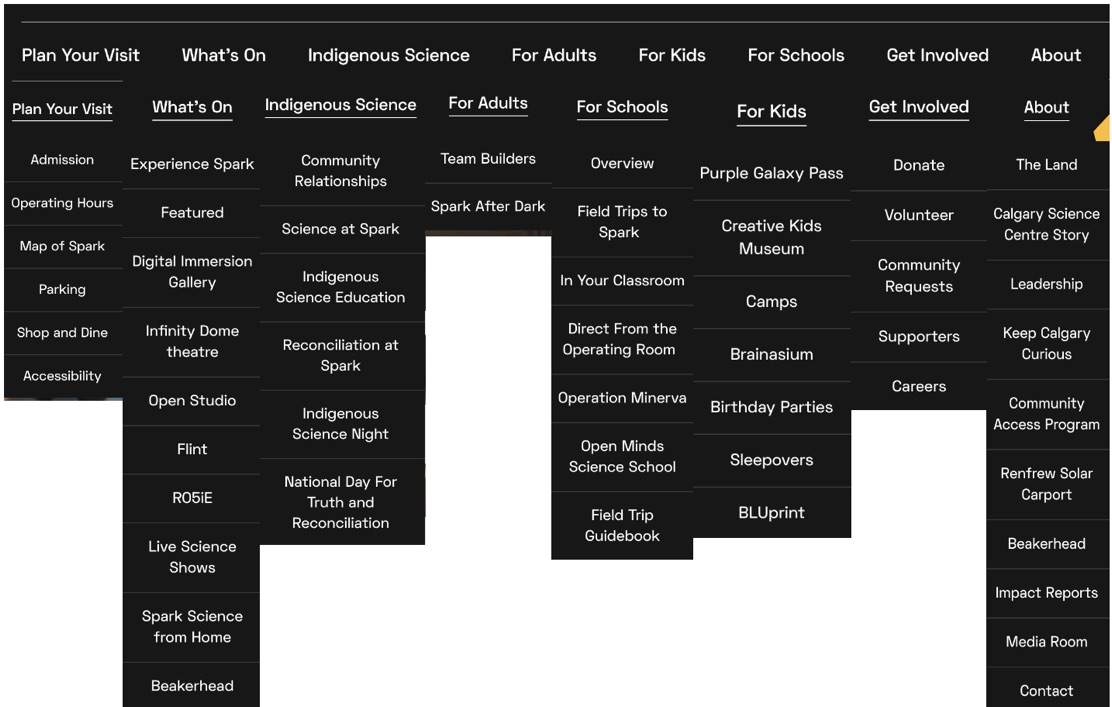
Navigation shapes the foundation of a website. The TELUS Spark site (as of Jan 2026) was managed by different people over time. Items had been added to the menu on an ‘as needed’ basis without a core organizational system, which resulted in a vague, lengthy and repetitive dropdown menu.
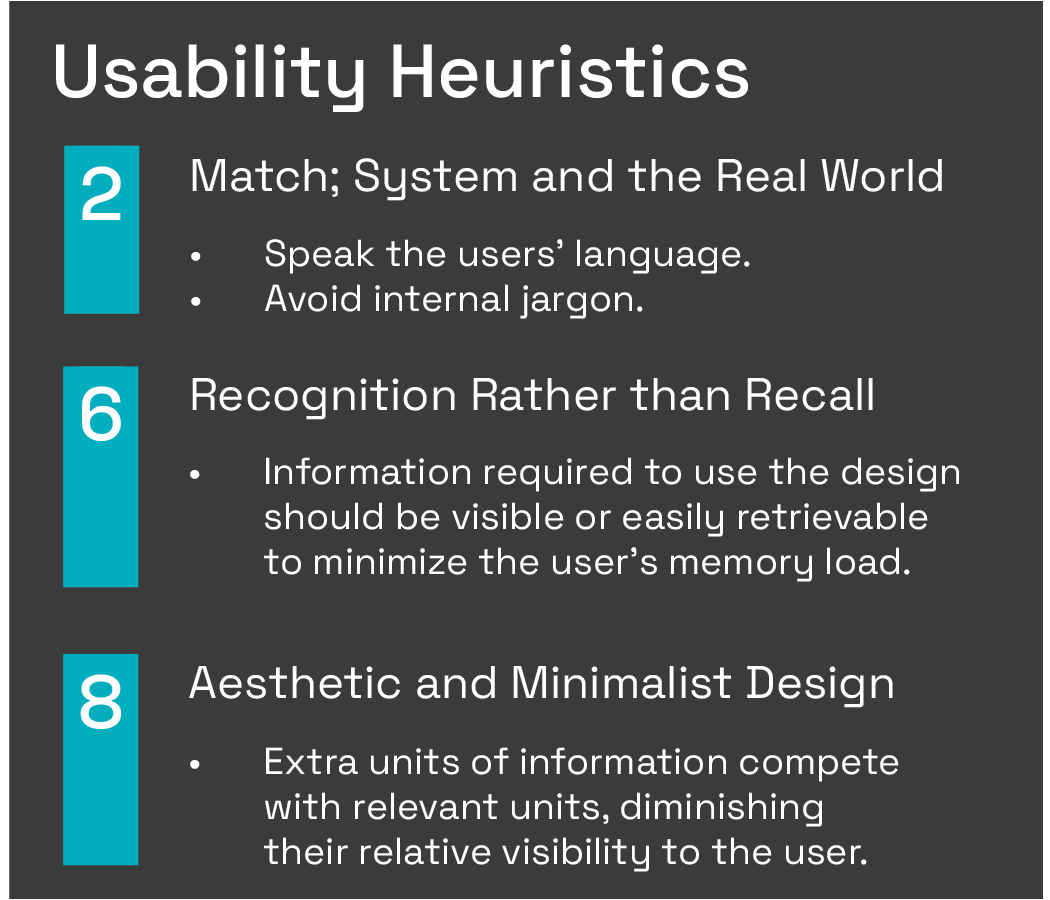
To ground my observations in evidence rather than bias, I applied three of Jakob Nielsen's 10 Usability Heuristics. They revealed three issues:
- Jargon. Labels like "Flint" and "Rosie" leave visitors guessing.
- Long dropdowns. Lengthy lists overwhelm the eye.
- Repetition. Items like "Beakerhead" appear in several categories, blurring where things live.
Who It Affects
Parents and Teachers
TELUS Spark identified them as the users who struggle most with the site. They need essentials fast, like which exhibits are open before planning a family or class visit.
Guest Services Team
When information is hard to find online, this team fields the extra questions and frustration. The cost of an unclear menu lands on them.
Design Principles
| Principle | How I applied it |
|---|---|
| Jakob's Law | Users expect sites to work like the ones they know, so I kept the familiar dropdown pattern. |
| Cognitive Load Theory | Long lists and jargon demand mental effort, so I streamlined categories and used plain language. |
| Choice Overload | Too many options stall decisions, so I trimmed redundant items and merged overlapping categories. |
Iterations
-
First Iteration
I consolidated the original categories and items into broader groups that could hold more specific subjects with less redundancy.

-
Second Iteration
I applied insights from my first usability test and consulted the representative for TELUS Spark.

-
High-Fidelity Prototype
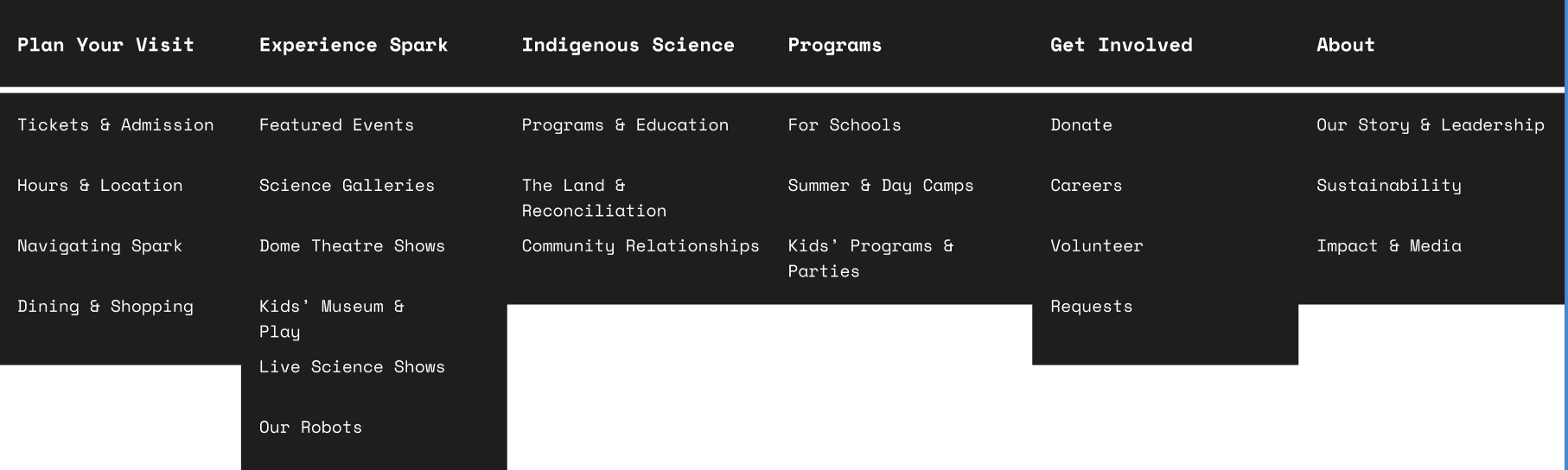
I shortened labels, like "Community Requests" to "Requests", and added items I had missed so all of Spark's content was accounted for. The menu dropdowns became functional using Figma.
-
Final Design
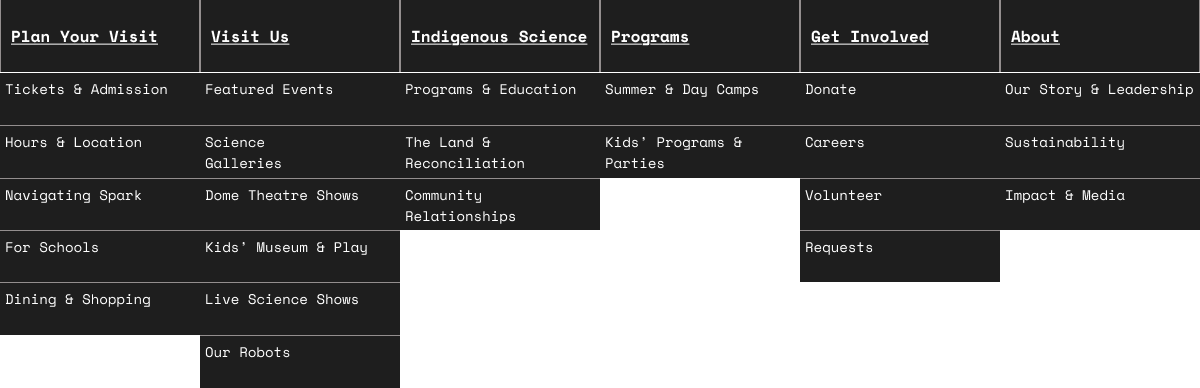
After my tree test, I renamed "Experience Spark" to "Visit Us", moved "For Schools" into "Plan Your Visit", and refined the visuals for readability.
User Testing
1st Test: Open Card Sort
5 senior information design students labelled their own categories for 22 printed menu items.
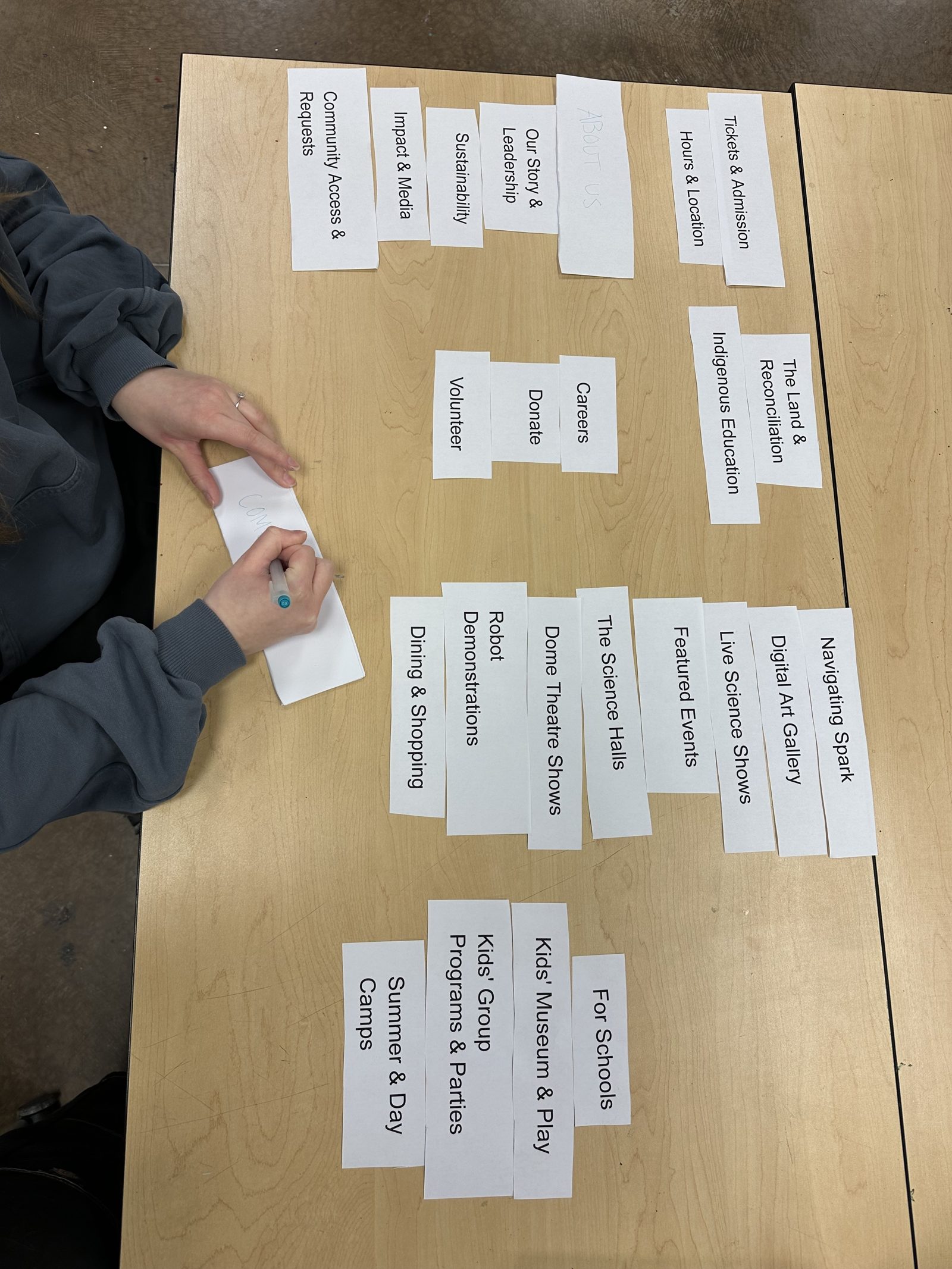
- Participants made 5 categories on average, suggesting about 5 top-level categories would feel manageable. I added a sixth, Indigenous Science, to reflect TELUS Spark’s core goals.
- "Community Access & Requests" was too long, so it became "Requests".
- "Donate" and "Volunteer" were placed under "Our Mission". I kept them in "Get Involved" because both ask visitors to act.
2nd Test: Tree Test
6 participants completed two tasks on the prototype in UX Tweak.
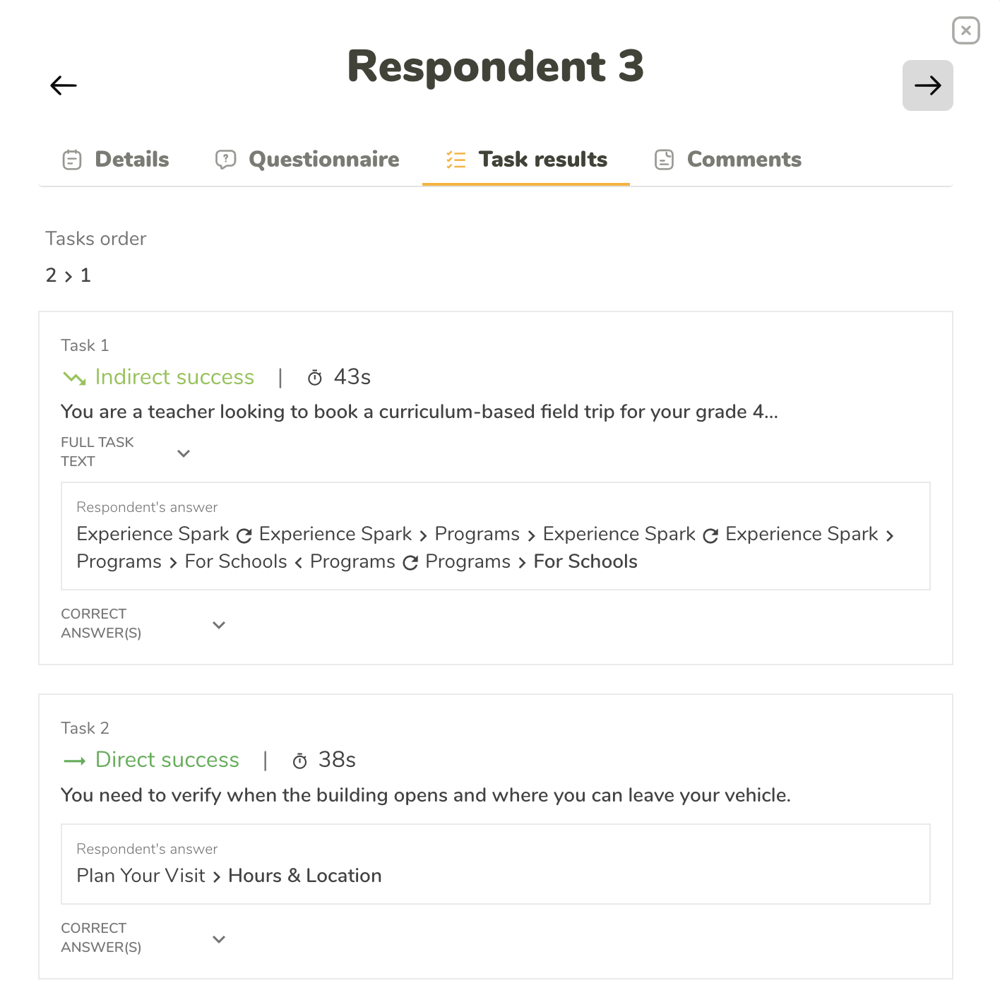
- Users defaulted to "Plan Your Visit", making it a strong anchor.
- Splitting "Programs" from "Plan Your Visit" caused indirect paths.
- "Experience Spark" read as vague, which led to the rename "Visit Us".
Results
The final navigation uses labels that are familiar to users and doesn't overwhelm them with information.
- Before
- 8 and 53categories and menu items
- After
- 6 and 23categories and menu items
Next Steps
I designed the prototype dropdown categories to accommodate new pages to prevent content sprawl from coming back. Before I would give my Figma file to a developer for implementation, I would confirm what content management system (CMS) TELUS Spark currently uses, such as WordPress, Squarespace, or a custom-built solution, and evaluate whether it is compatible with my proposed navigation structure.
With more time and resources, I would:
- Run larger tree tests with more tasks and participants. A free plan limited me to two tasks.
- Add breadcrumbs, alt text and keyboard navigation.
- Design a tickets button and a mobile version.
For the full research, rationale and testing detail, read the complete case study (PDF).
Sources: Flavián, Guinalíu and Gurrea (2006), The role played by perceived usability, satisfaction and consumer trust on website loyalty; Nielsen (1994), 10 Usability Heuristics for User Interface Design; Yablonski (n.d.), Laws of UX.
Next case study Kids Bike Trade UP Event Website